Overlay Filter: Hide Ads and More with a Single Click
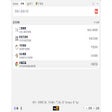
Overlay Filter is a powerful Chrome extension that allows you to select an area on a webpage and display a box over it. This box can be used to hide ads or any other unwanted elements. Instead of taking a screenshot, Overlay Filter provides a seamless and intuitive way to visually block specific content on a webpage.
With just a single click, you can remove the overlay box. If you want to remove all overlay boxes at once, simply hold 'ctrl' and click. This makes it incredibly easy to quickly hide multiple elements on a page.
Overlay Filter cleverly uses the background color of the element it blocks, ensuring a seamless integration with the webpage. This means that with the right selection, the overlay box will blend in perfectly.
The extension offers customization options, allowing you to choose between fixed or absolute position for the overlay box. You can also customize the colors of the overlay boxes in the settings pane.
One of the standout features of Overlay Filter is that everything runs locally on your computer. It does not connect to a server or collect any data, ensuring your privacy and security.
The only limitation of Overlay Filter is that the selection must start within the body element of the webpage. Other than that, it provides a simple and effective way to block unwanted content on any webpage.